The mods.
You’ve been asking for these for a while. Here are the TGS ones. Free, no sign-up.
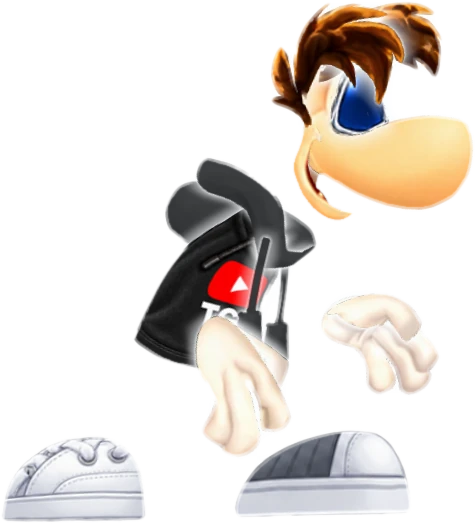
The Creator
The one from the videos. Black TGS hoodie, white shoes, ice-white glow.
How to install
- Back up Bundle_PC.ipk.
- Import all nine PNGs from IMPORT_PNG through Rayman Control Panel’s texture conversion.
- Raw-replace all four PBK files from IMPORT_COOKED.
- Rebuild Bundle_PC.ipk, restart the game and select UbiRay.
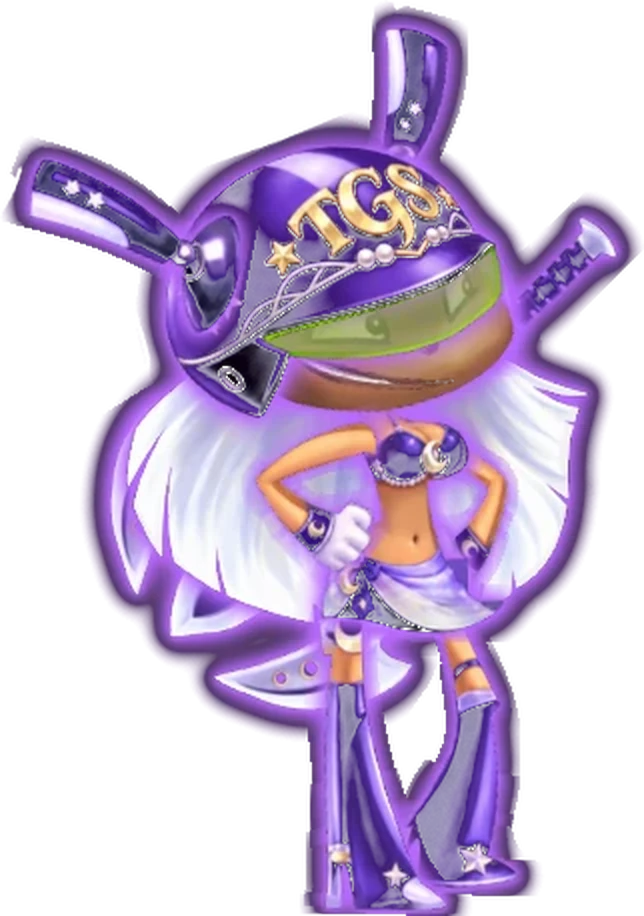
Ursula
The TGS helmet, full purple armour and a purple glow that follows every animation.
How to install
- Back up Bundle_PC.ipk.
- Import all nine PNGs from IMPORT_PNG through Rayman Control Panel’s texture conversion.
- Raw-replace all four PBK files from IMPORT_COOKED.
- Rebuild Bundle_PC.ipk, restart the game and select Ursula.
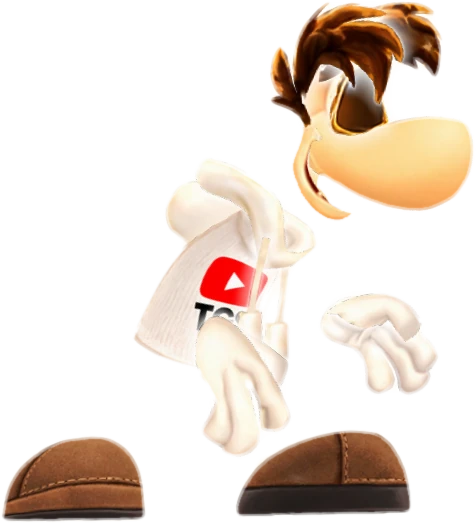
Coastal
White TGS shirt, curls and gold-rimmed shades. The holiday version.
How to install
- Back up your current mod and close the game.
- Import all nine PNGs from IMPORT_PNG through Rayman Control Panel, matching each file name.
- Save and repack the mod.
- Launch the game and select Raymesis.
Cosmic Globox
Globox, but the blue is a galaxy now. He’s still got no idea.
How to install
- Back up Bundle_PC.ipk.
- Import each PNG through Rayman Control Panel’s texture conversion, matching the file name.
- Rebuild Bundle_PC.ipk, restart the game and select Globox.

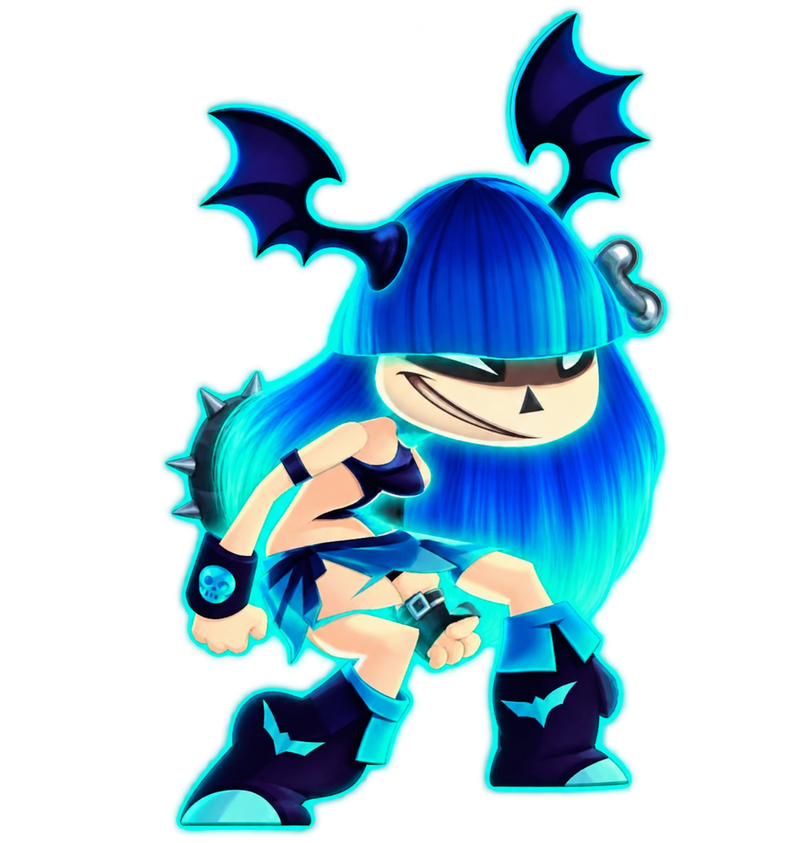
Beach Selena
Navy and cyan beachwear, blue hair and a bright cyan glow.
How to install
- Close the game and back up Bundle_PC.ipk.
- Import all nine PNGs from IMPORT_PNG/Bundle_PC using Rayman Control Panel’s texture conversion, preserving alpha and dimensions.
- Raw-replace all four PBKs from IMPORT_COOKED/Bundle_PC using the exact paths in INSTALL_MANIFEST.csv. Do not texture-convert the PBKs.
- Install all 13 files together, rebuild Bundle_PC.ipk, fully restart and select Selena.
Preview cut out from an in-game screenshot with AI-assisted cleanup.
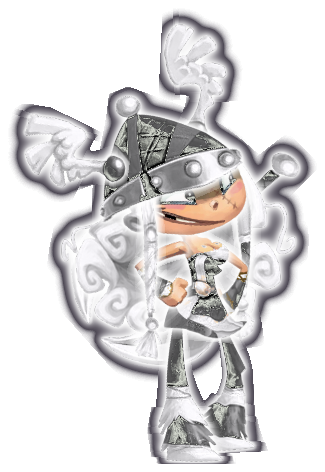
Radiant Barbara
Pearl-white hair, charcoal armour and a luminous white glow.
How to install
- Close the game and back up Bundle_PC.ipk and persistentLoading_PC.ipk.
- Import all nine PNGs from IMPORT_PNG/Bundle_PC using Rayman Control Panel’s texture conversion, preserving alpha and dimensions.
- Raw-replace the three PBKs from IMPORT_COOKED/Bundle_PC, then barbara_pack_basic_001.pbk.ckd from IMPORT_COOKED/persistentLoading_PC in its matching archive. Follow INSTALL_MANIFEST.csv; do not texture-convert PBKs.
- Install all 13 files together, rebuild both archives, fully restart and select default Barbara. Other costume variants sharing these banks can also be affected.
Preview reconstructed from animation data; in-game appearance may vary.
You’ll need the PC version of Rayman Legends and Rayman Control Panel. Back up your files first. Fan-made and unofficial, not affiliated with or endorsed by Ubisoft. Rayman is a trademark of Ubisoft. Please link here instead of reuploading.